 Encore Wave
Get charts from Ultimate Guitar into your set
Found the chart on Ultimate Guitar? Share it straight into Encore Wave. It lands with real chords, ready to transpose, set your capo and drop into tonight's setlist. Your bandmates follow along from any device with a browser.
- Open the song in the Ultimate Guitar app.
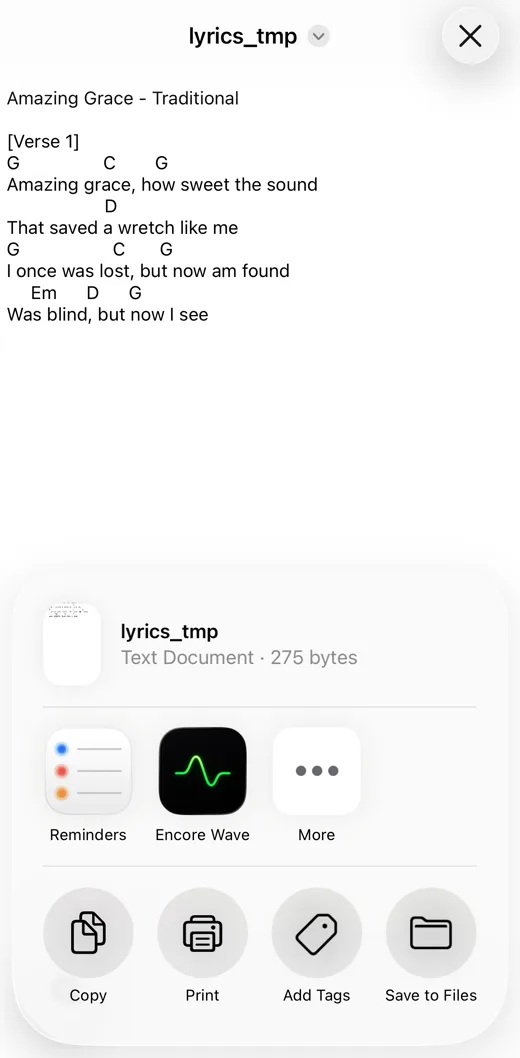
- Tap ⋯, then Share, then Open with….
- Swipe the app row to More and tap Encore Wave.
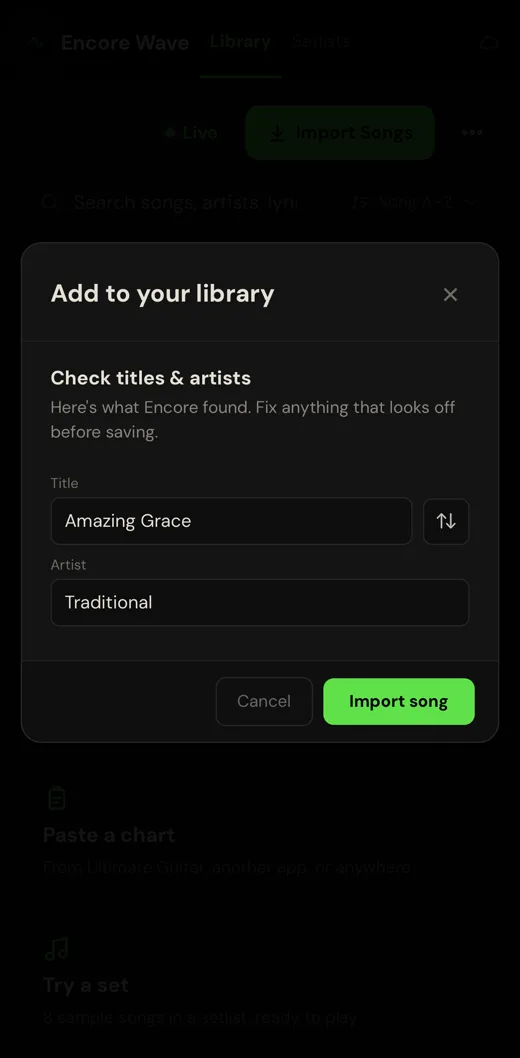
- Review the chart and add it to your library.
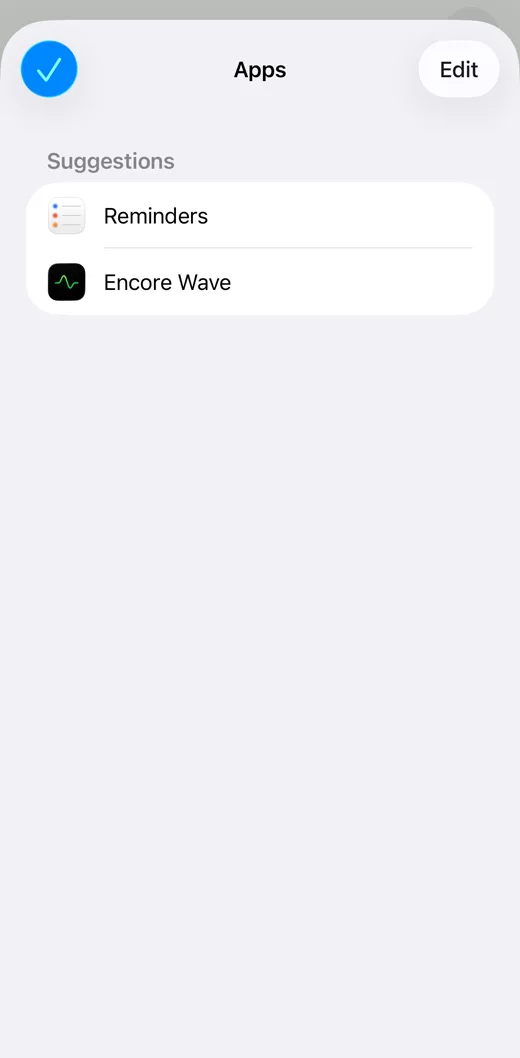
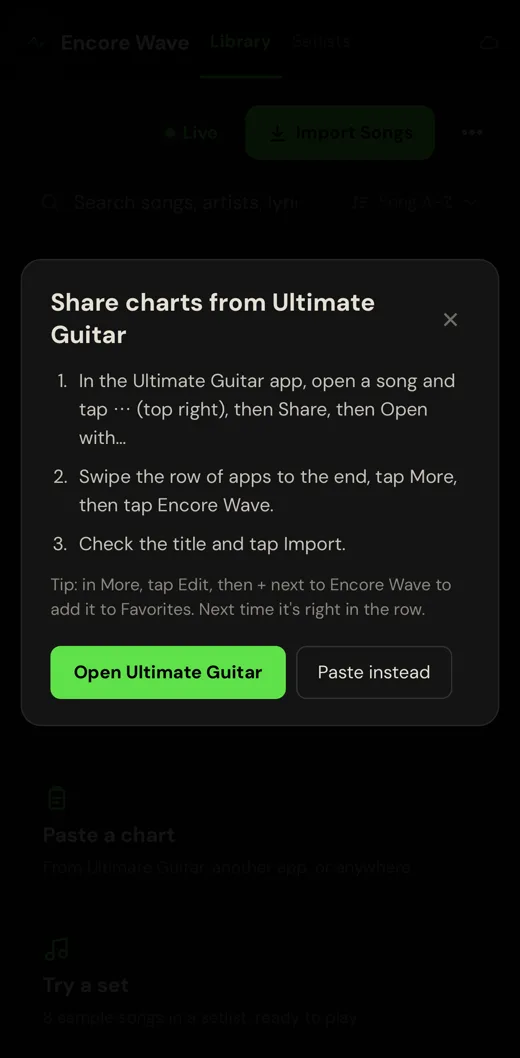
Tip: on the More screen, tap Edit and add Encore Wave to Favorites, so it's right in the row next time.
What you can do next
- transpose to your key
- set a capo; each bandmate keeps their own
- add it to a setlist
- play it in the stage view
Already in your library?
Encore Wave asks first and keeps your edits unless you choose Replace.
FAQ
Does it work on Android or in the browser?
Sharing charts in works in the iPhone and iPad app. Bandmates can still join your live session from any device with a browser.
What if the song name doesn't come through?
Sometimes the share doesn't include the title. Encore Wave asks for it once.
Other files?
Text, ChordPro, OnSong and typed PDF files shared from Files, Mail and Messages work too. Scanned PDFs and UG's "Download PDF" are pictures and don't import.
Which Ultimate Guitar charts work?
Chord charts and tabs, including Official charts in Chords view. Official charts don't include the song name, so you type it once.
Is Encore Wave connected to Ultimate Guitar?
No. Encore Wave isn't affiliated with Ultimate Guitar. It accepts chord charts and files you share from other apps.
What does it cost?
Free to try with 10 songs. Encore Pro is $9.99 once through Nov 21, then $29.99. No subscription.